• Workspace
Creation
  • AI Video
  • AI Image
Features
  • AI Video Effects
  • Text to Video
  • Image to Video
  • Reference to Video
  • AI Video Editor
  • Mimic Motion
  • Video to Video AI
  • Video Upscaler
  • Face Swap Video
  • Video Background Remover
  • AI Video Extender
  • Text to Image
  • Image to Image
  • Image to Prompt
  • PNG Maker
  • Pricing
Workspace
All creationsAd VideoStory VideoMV Visuals
Story VideoAnime VideoKids Story VideoHorror Video

AI Kids Story Video Creator

7 credits
7 credits

Create a clear, friendly story for your chosen age group, with expressive characters, gentle stakes and a reassuring ending.

Make the journey easy to follow.

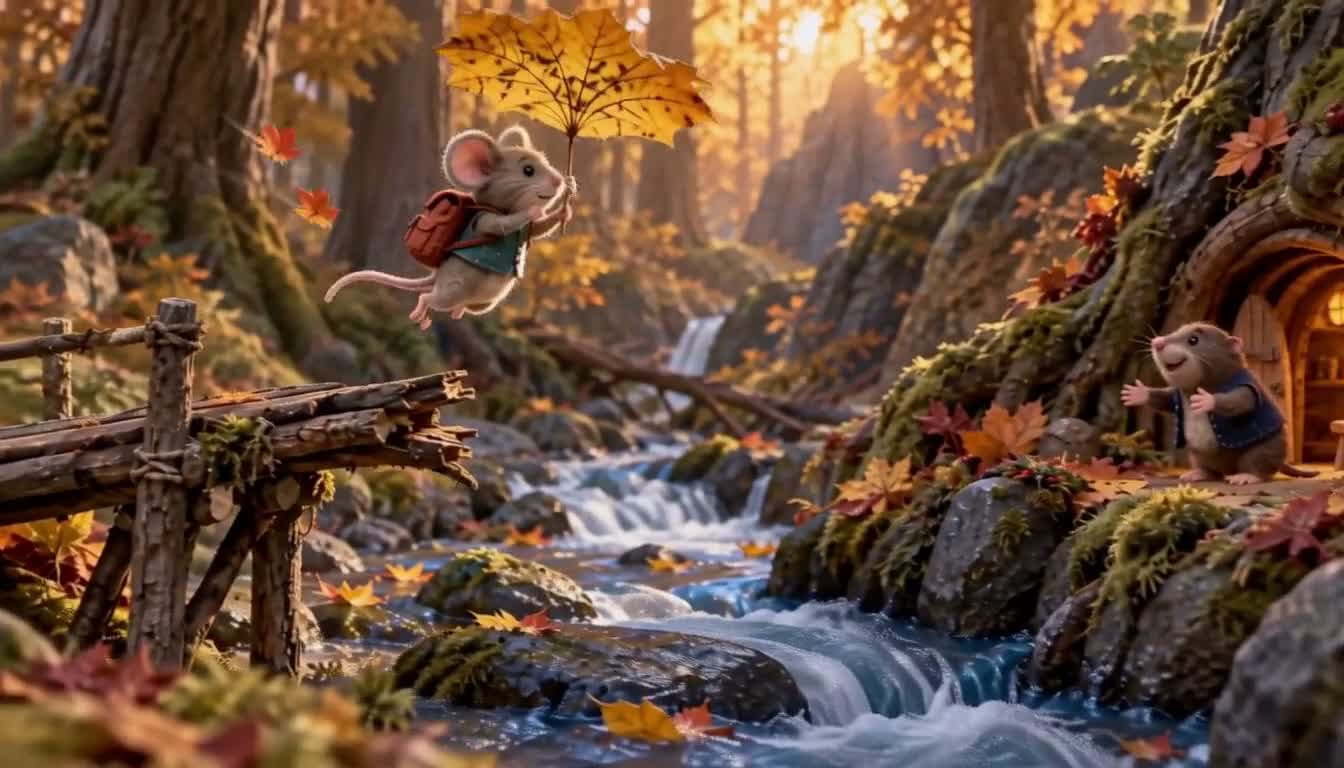
A small mouse travelling across a woodland river in a leaf boat

A little mouse crosses the river in a leaf boat

A child-friendly adventure can have a real challenge without making the setting confusing. Show the mouse’s starting bank, the friend on the other side and the leaf boat that connects them. Let one clever action lead to a welcoming ending.

Plan a gentle three-shot story for ages 5–8. A little mouse wants to visit a friend across a woodland river. It finds a large leaf, uses it as a boat and completes one clear crossing. Show the starting bank and destination before the journey. Keep the mouse, leaf and travel direction consistent. Use expressive miniature characters, mild suspense and a kind ending. Give the start, action and end for each shot; plan first and ask which reference to create.

Make your visual idea specific

01

Choose the age and feeling

State the intended age group and whether the story should feel playful, calm or adventurous. Keep the language and actions suited to that brief.

02

Show where the hero is going

Establish both riverbanks and the friend before the crossing. A visible destination gives the action a simple purpose.

03

Let the clever idea pay off

The leaf should solve the crossing problem. Keep the landing and greeting visible so the ending follows the journey.

From a brief to assets for your edit

  1. 1

    Describe the small adventure

    Name the mouse, the friend and the reason for the visit. Add the age group, mood and intended ending.

  2. 2

    Check the geography and sequence

    Review the starting bank, leaf boat and landing. Make sure the mouse crosses once in a consistent direction.

  3. 3

    Create and review the visual assets

    Generate the chosen references and individual shots. Review expressions, scale and understandable movement before adding narration or sound in your own edit.

Frequently asked questions

Give the intended age group, a simple goal and the feeling you want at the end. Describe any scenes to avoid. Concrete actions and a clear destination make the visual plan easier to review.

Yes. Specify the level you want, such as a small obstacle and a reassuring outcome. For the leaf-boat example, the challenge is the crossing; the ending can show the mouse landing safely and meeting its friend.

Show the starting point and destination, carry the same direction into each shot and give the journey one clear completion. Review for repeated crossings, sudden jumps or changes in the size of the mouse and boat.

The workflow here covers the story plan and visual assets. Narration, music, timing and the final edit are handled in your own production workflow after you review the clips.

Choose your next creative direction

Ad Video

Start with your product and the reason someone would choose it. Develop a concept, storyboard and matching visual clips.

Start creating

Story Video

Build a short story around a goal, a difficult choice and an ending that feels earned. Keep characters and props consistent across scenes.

Start creating

Anime Video

Develop original animated scenes with consistent character design, readable action and a visual payoff that follows the story.

Start creating

Kids Story Video

Create a clear, friendly story for your chosen age group, with expressive characters, gentle stakes and a reassuring ending.

Start creating

Horror Video

Build suspense through a specific setting, an unsettling clue and a reveal driven by the character’s decision.

Start creating

MV Visuals

Plan visual clips around a mood, a recurring character or motif and changing energy. Take the generated clips into your own edit.

Start creating

Stories in motion

The Oversized Umbrella
Across the Gap
Across the Gap
Bring the Moon Home
Bring the Moon Home
Breakfast Has Escaped

Put your idea to work

Friendly adventures

Give a small hero a simple goal and a reassuring ending.

Learning stories

Show an understandable action instead of a dense explanation.

Character introductions

Use expressive poses and clear geography for the chosen age group.

Plans for your next creation

Use your plan credits for images and videos. Review the selected tool, settings and credit quote before each generation.

Starter

$9.99/ month

800 credits / month

Credits renew monthly and expire at the end of the billing period.

View plan

Creator

$24.99/ month

2,500 credits / month

Credits renew monthly and expire at the end of the billing period.

View plan

Pro

$59.99/ month

6,200 credits / month

Credits renew monthly and expire at the end of the billing period.

View plan
See all plans and credit packs

Guides for your next creation

Plan a video from a product photo

↗

Prepare an image and describe motion

↗

Choose your Jynno creative workflow

↗

Start your kids story video creator

Create a clear, friendly story for your chosen age group, with expressive characters, gentle stakes and a reassuring ending.

Start creating

AI Image

  • AI Image Generator
  • Image to Image AI
  • AI Photo Editor
  • Watermark Remover
  • Magic Eraser
  • Image Upscaler
  • Background Remover
  • Face Swap Photo
  • Chat to Image

AI Video

  • AI Video
  • Text to Video
  • Image to Video
  • Reference to Video

AI Video Effects

  • AI Video Effects
  • AI Kiss Video Generator
  • AI Hug Video Generator
  • City flight
  • Everything blooms
  • Giant pet
  • Step out of the frame
  • Petal drift
  • Doodle to life
  • City folding
  • Vanish
  • Street Colossus
  • High Flip
  • Thunder Strike
  • Portal Reveal
  • Energy Wings
  • AI Twerk Video Generator
  • Bigfoot Video Generator

Product

  • Jynno
  • All AI Tools
  • Agent
  • Pricing

Resources

  • Creative guides
  • Privacy Policy
  • Terms of Service
© 2026 Jynno. All rights reserved.