
The visible change
An overhead camera arc carries the view from the original setting to a red desert with distant sandstone arches.


Sweep over your head into a vast red desert.

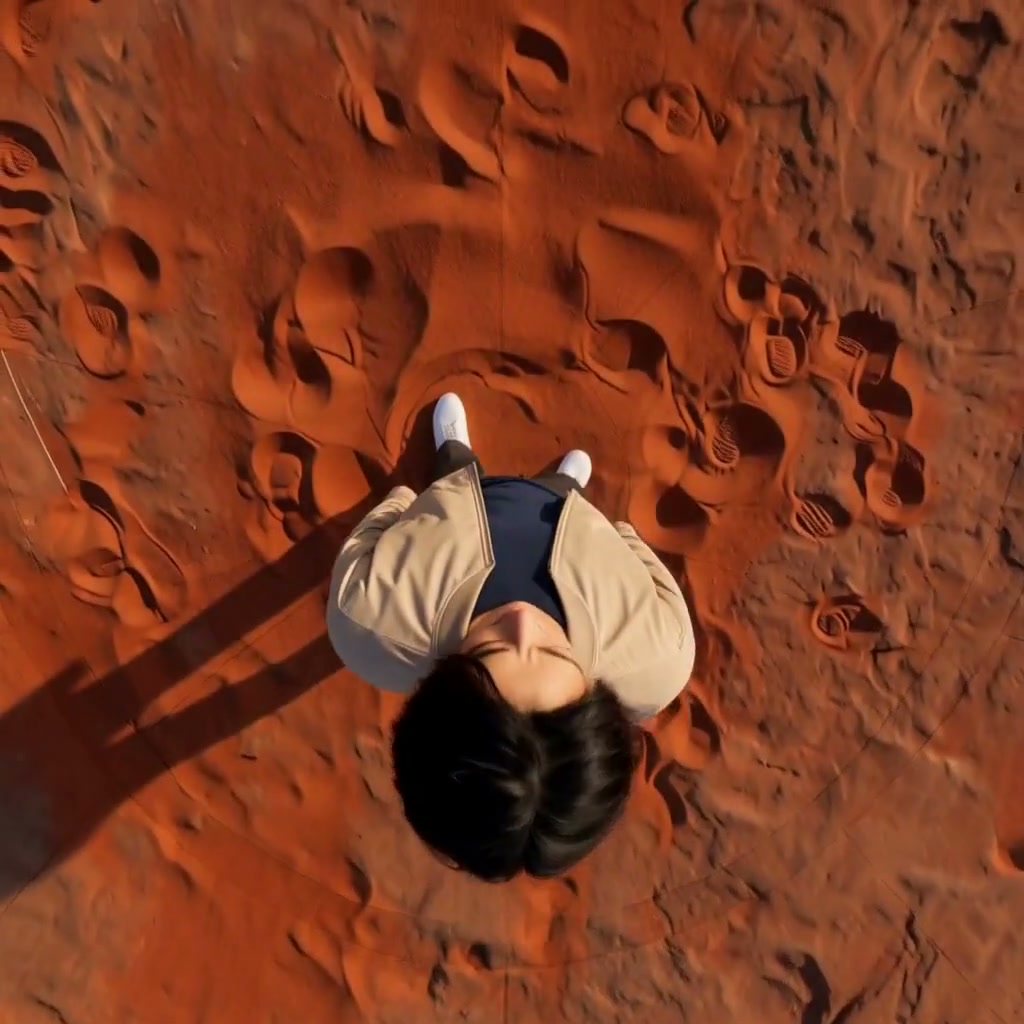
The camera crosses overhead; the same person stays grounded as the new scene appears.
Upload a clear photo and adjust the motion prompt to fit your scene. Check the settings and credit cost before generating.
Choose another effectAn overhead camera arc carries the view from the original setting to a red desert with distant sandstone arches.
The original person, recognizable clothes and a complete body throughout the camera passage.
Keep the head and shoes visible. A simple foreground gives the overhead move a clean starting point.
Send the camera over the same person and reveal a red desert on the other side. The camera makes the flip while the subject stays grounded.
An overhead camera arc carries the view from the original setting to a red desert with distant sandstone arches.
Try this effectUse a standing full-body photo with open space above the head and a clear floor around the person.
Keep the head and shoes visible. A simple foreground gives the overhead move a clean starting point.
Describe the rise, overhead passage and descent as one move. Keep the person standing instead of asking them to somersault.
Look for the same outfit and grounded body as the red desert opens behind the subject.
Move the camera over the character to reveal a different environment on the other side.
Use camera motion around a standing character to reveal the changing setting.
Build a short shot around an overhead arc and a new-world reveal.
Use your plan credits for images and videos. Review the selected tool, settings and credit quote before each generation.
$9.99/ month
800 credits / month
Credits renew monthly and expire at the end of the billing period.
View plan$24.99/ month
2,500 credits / month
Credits renew monthly and expire at the end of the billing period.
View plan$59.99/ month
6,200 credits / month
Credits renew monthly and expire at the end of the billing period.
View plan