
Create your Bigfoot character image
Describe the fur, face, clothing and environment in text to image. Choose a clear result before adding motion so the character has a consistent starting look.


Bring a Bigfoot character to life in a playful forest selfie.
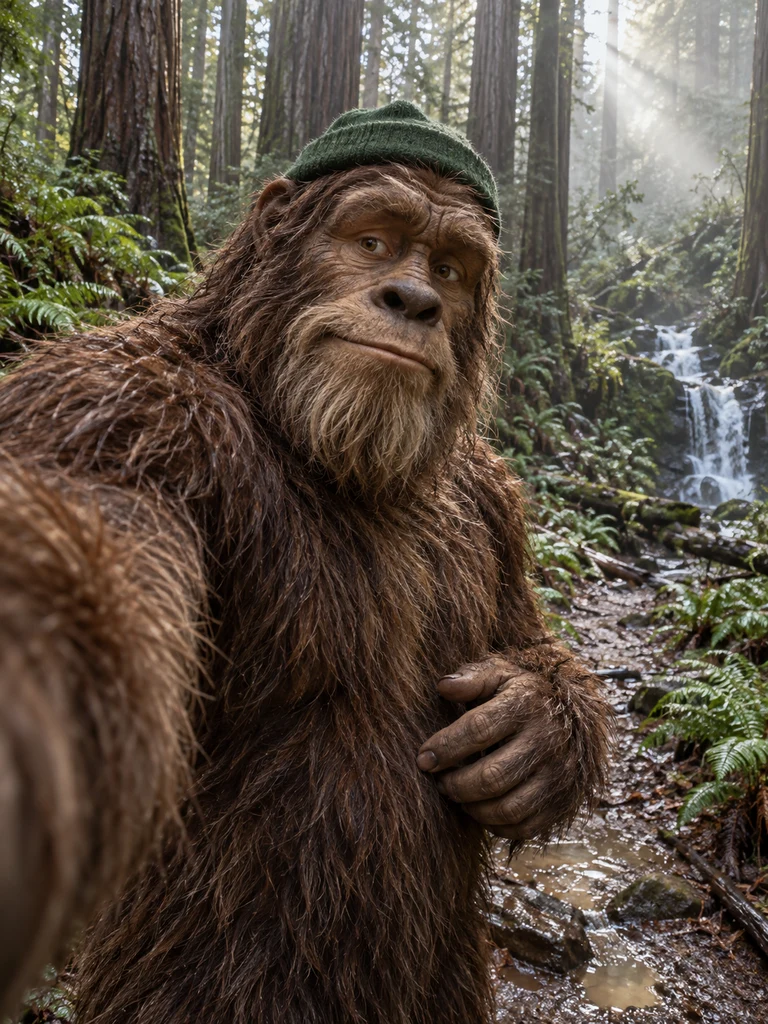
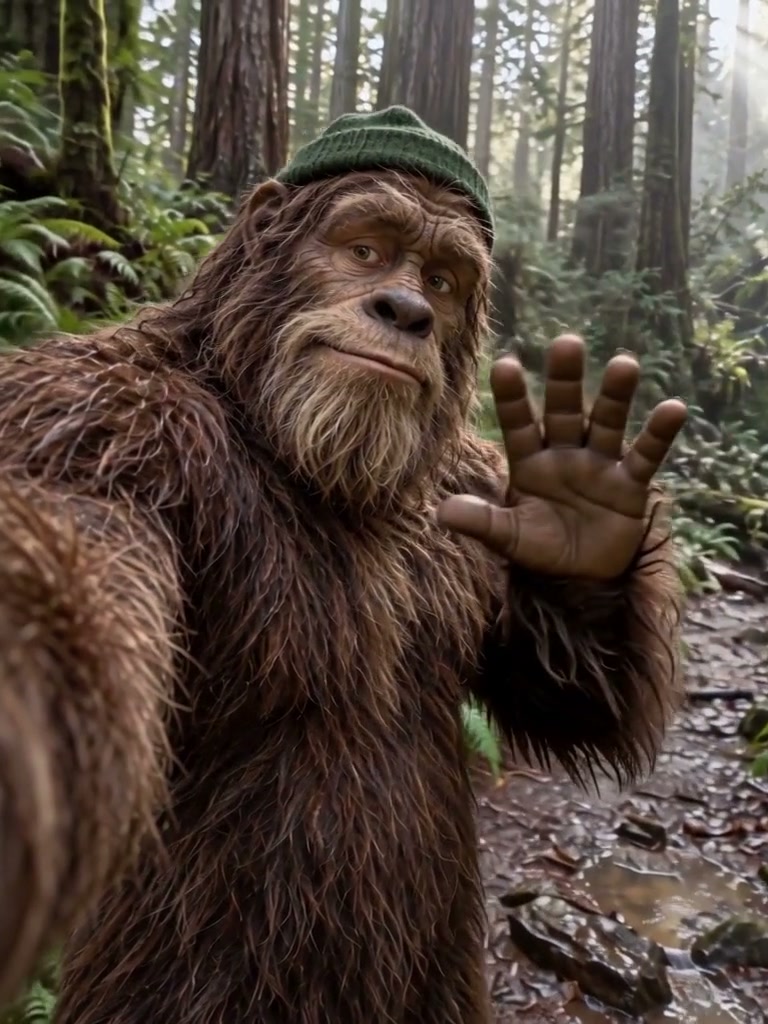
Check recognizable fur, face and hat, a coherent free-hand wave and a natural selfie viewpoint.
Upload a clear photo and adjust the motion prompt to fit your scene. Check the settings and credit cost before generating.
Choose another effectA Bigfoot video generator animates a character image into a short selfie-style moment. Choose a source with a visible face, clear fur details and a setting that leaves room for the gesture.
Describe the fur, face, clothing and environment in text to image. Choose a clear result before adding motion so the character has a consistent starting look.
For another creature or camera direction, use image to video with the selected character image. Keep one action and a readable face in the shot.
Give your original Bigfoot a travel-selfie moment: a friendly wave, an expressive look and a proud grin, with the forest still behind them.
Upload one clear Bigfoot character image. A chest-up selfie composition, a visible free hand and space above the head work best.
Check the hand movement and character consistency, then download the silent video. Add your own captions or sound in an editor.
Give your original Bigfoot a travel-selfie moment: a friendly wave, an expressive look and a proud grin, with the forest still behind them.
Upload one clear Bigfoot character image. A chest-up selfie composition, a visible free hand and space above the head work best.
The preset directs a quick wave and a comic reaction. Fur, face, hat and the original forest or campsite remain the visual anchors.
Check the hand movement and character consistency, then download the silent video. Add your own captions or sound in an editor.
Have the same friendly Bigfoot wave toward an arm-length selfie camera.
Create a light travel visual using your own furry character.
Keep the original tent or lakeside setting as expression and gestures carry the joke.
Use your plan credits for images and videos. Review the selected tool, settings and credit quote before each generation.
$9.99/ month
800 credits / month
Credits renew monthly and expire at the end of the billing period.
View plan$24.99/ month
2,500 credits / month
Credits renew monthly and expire at the end of the billing period.
View plan$59.99/ month
6,200 credits / month
Credits renew monthly and expire at the end of the billing period.
View plan