
The visible change
Storm light, electric glow and branching lightning around the body.


Charge the scene with branching cinematic lightning.
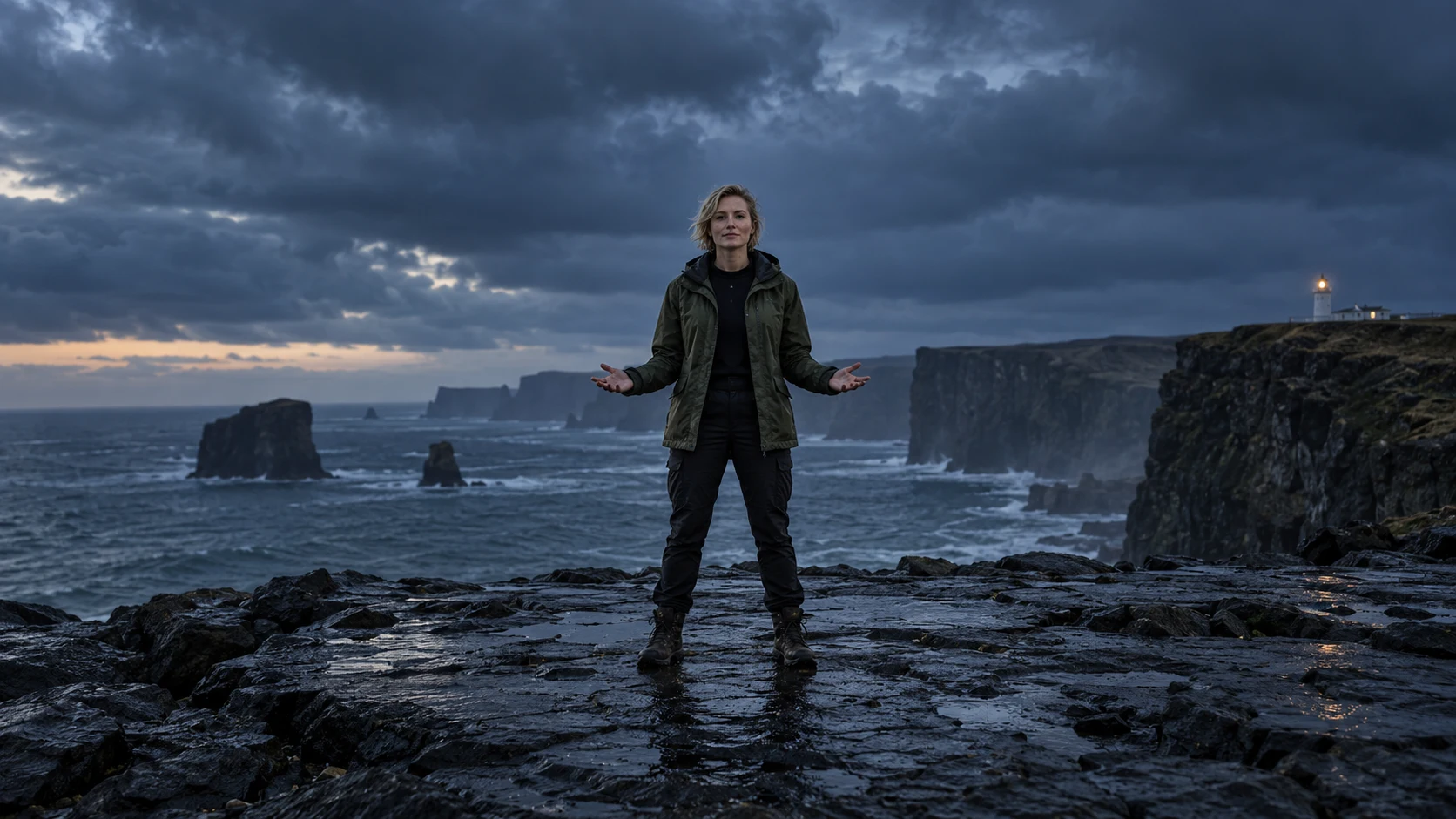
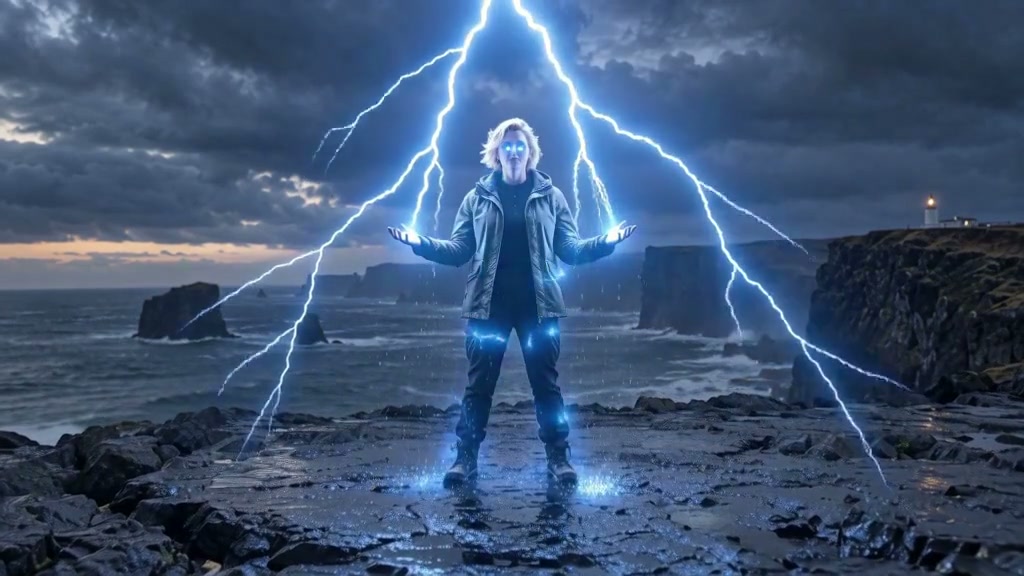
Lightning lights the same face, outfit and surrounding surfaces while the person stays intact.
Upload a clear photo and adjust the motion prompt to fit your scene. Check the settings and credit cost before generating.
Choose another effectStorm light, electric glow and branching lightning around the body.
Face, outfit, standing position and the original surroundings.
Keep hands and feet visible. Avoid crowds and tight crops.
Turn a clear full-body photo into a charged moment: blue-white lightning connects the sky, hands and ground while the original person stays recognizable.
Storm light, electric glow and branching lightning around the body.
Try this effectStart with a complete standing figure and visible space around both hands. A dark or dusk setting makes the light stand out.
Keep hands and feet visible. Avoid crowds and tight crops.
The preset adds a brief build-up, a bright strike and electrical arcs around your subject.
Preview the hands and face, then choose the segment with the clearest lightning reveal.
Reveal a power moment through lightning and its reflected light.
Keep the outfit and setting as electrical arcs become the main event.
Study the lightning branches, hands and illuminated ground together.
Use your plan credits for images and videos. Review the selected tool, settings and credit quote before each generation.
$9.99/ month
800 credits / month
Credits renew monthly and expire at the end of the billing period.
View plan$24.99/ month
2,500 credits / month
Credits renew monthly and expire at the end of the billing period.
View plan$59.99/ month
6,200 credits / month
Credits renew monthly and expire at the end of the billing period.
View plan