
Change clothing colors
Describe one clear color change while keeping the subject and scene consistent.


Edit clothing and colors in a short video. Choose Normal or Advanced and an output resolution.
Working…
Compare the same dancer before and after changing the sweatshirt color. The room, gray trousers and white shoes remain recognizable; fine details and movement timing can vary.
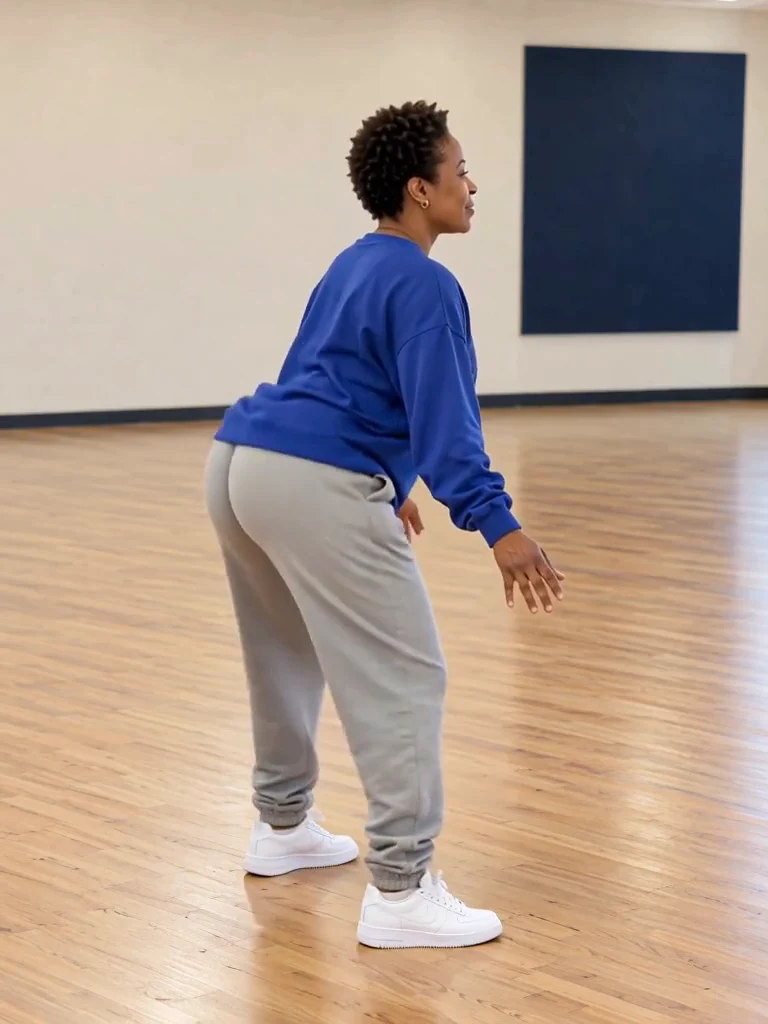
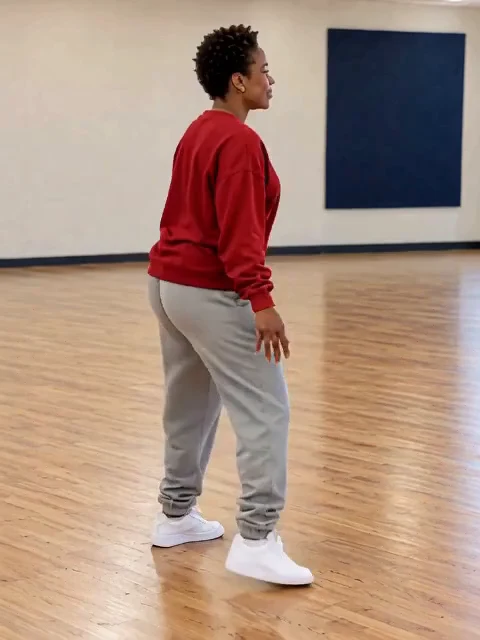
Describe one clear color change while keeping the subject and scene consistent.
Normal and Advanced offer different editing workflows for your clip.
Select a supported resolution and review the total J credit quote before generating.
Upload the source video; its reference frame is extracted automatically.
Choose the supported settings, then review the quoted credits.
Confirm generation, then open and download the result from My Creations.
Try a different shirt or outfit color in the same short clip.
Describe one clothing change while preserving the person and scene.
Focus on one change to keep the instruction clear.
The source clip provides the shot. Your instruction describes how to edit it; text to video starts a new shot.
Use your plan credits for images and videos. Review the selected tool, settings and credit quote before each generation.
$9.99/ month
800 credits / month
Credits renew monthly and expire at the end of the billing period.
View plan$24.99/ month
2,500 credits / month
Credits renew monthly and expire at the end of the billing period.
View plan$59.99/ month
6,200 credits / month
Credits renew monthly and expire at the end of the billing period.
View planDescribe the change and what to keep. Choose your editing tier and resolution, then review the J credit quote.
Open the tool