
The visible change
The pet grows in place, with a larger contact shadow and a playful head tilt.


Make your seated pet grow in place against the same surroundings.
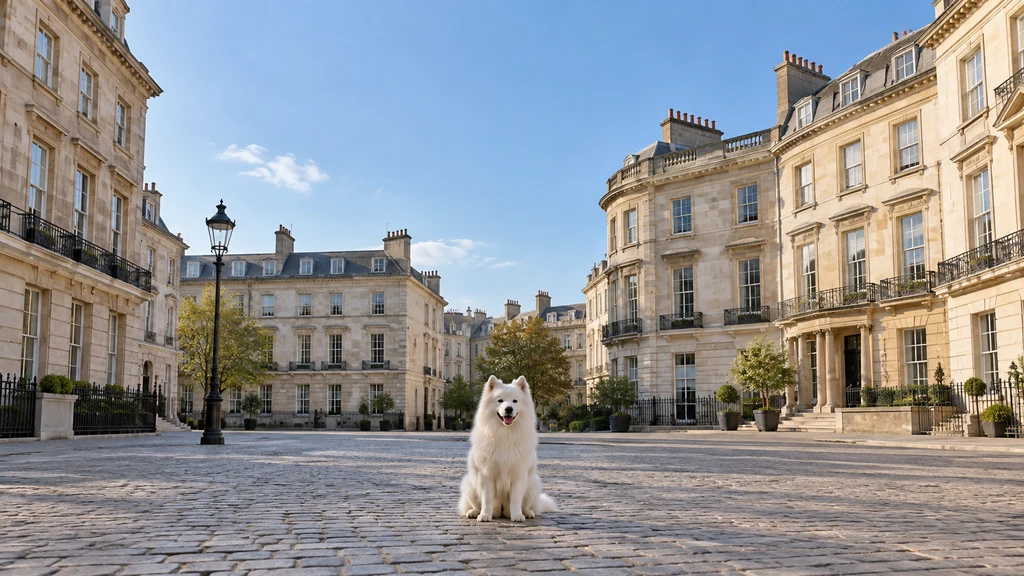
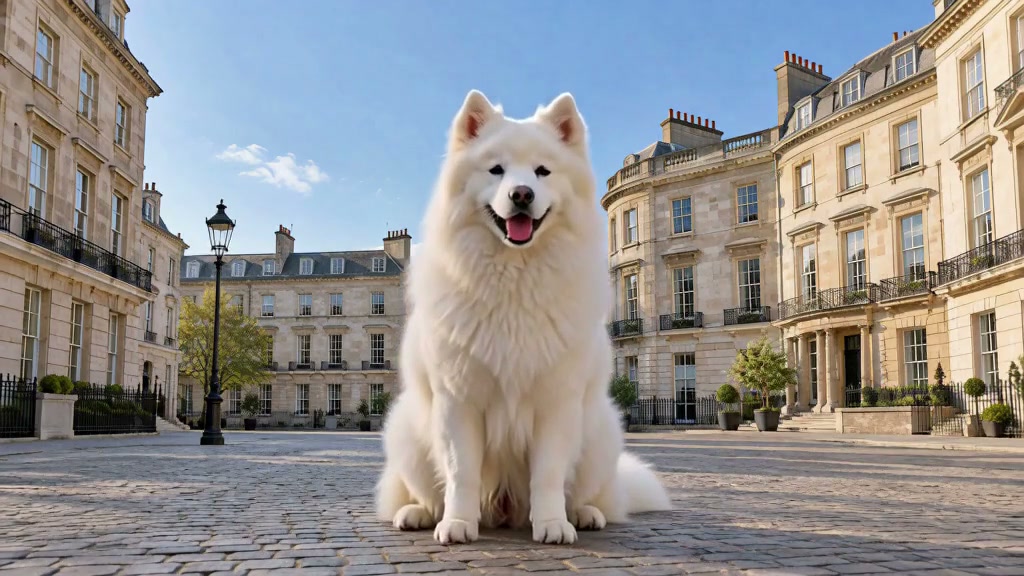
The pet grows smoothly while its paws stay on the ground. Its markings stay consistent and the buildings keep their size.
Upload a clear photo and adjust the motion prompt to fit your scene. Check the settings and credit cost before generating.
Choose another effectThe pet grows in place, with a larger contact shadow and a playful head tilt.
The same pet, coat markings and seated position, with doors and paving visible for comparison.
Show the complete seated pet against a doorway, wall or street. Keep its ears, tail and paws inside the photo.
Turn a seated pet into an oversized companion while the surroundings provide a clear sense of scale. Keep the whole animal in view from paws to ears.
The pet grows in place, with a larger contact shadow and a playful head tilt.
Try this effectChoose a small seated pet with open space above and beside it. The room for growth matters more than a close-up of its face.
Show the complete seated pet against a doorway, wall or street. Keep its ears, tail and paws inside the photo.
Use one growth action. Keep the camera and buildings steady so the animal grows instead of simply walking closer.
Check that the body enlarges together, the pet stays grounded and the final ears and paws remain in frame.
Create a size contrast as the same pet grows in its original scene.
Use unchanged doors and paving to make the pet growth readable.
Explore a giant entrance using your own animal character.
Use your plan credits for images and videos. Review the selected tool, settings and credit quote before each generation.
$9.99/ month
800 credits / month
Credits renew monthly and expire at the end of the billing period.
View plan$24.99/ month
2,500 credits / month
Credits renew monthly and expire at the end of the billing period.
View plan$59.99/ month
6,200 credits / month
Credits renew monthly and expire at the end of the billing period.
View plan