



Direct the event, then let it unfold
MiniMax H3 fits visual scenes built around a subject and a clear action. Start with text or an image, describe the camera and choose an available duration. Use Jynno’s separate reference workflow when your idea needs multiple visual references.
Let one detail become the event
A product scene can be driven by opening petals, a material change or a small interaction. Keep the main object stable while the surrounding detail develops.
Poppy flowers unfurl from a cobalt-blue ceramic vase on a sunlit worktable. Keep the vase shape, tabletop and warm studio background consistent. One gentle camera push.

Describe how the camera follows the action
Use a character’s movement as the reason for the camera to move. Name the framing and a clear action beat instead of asking for every camera effect at once.
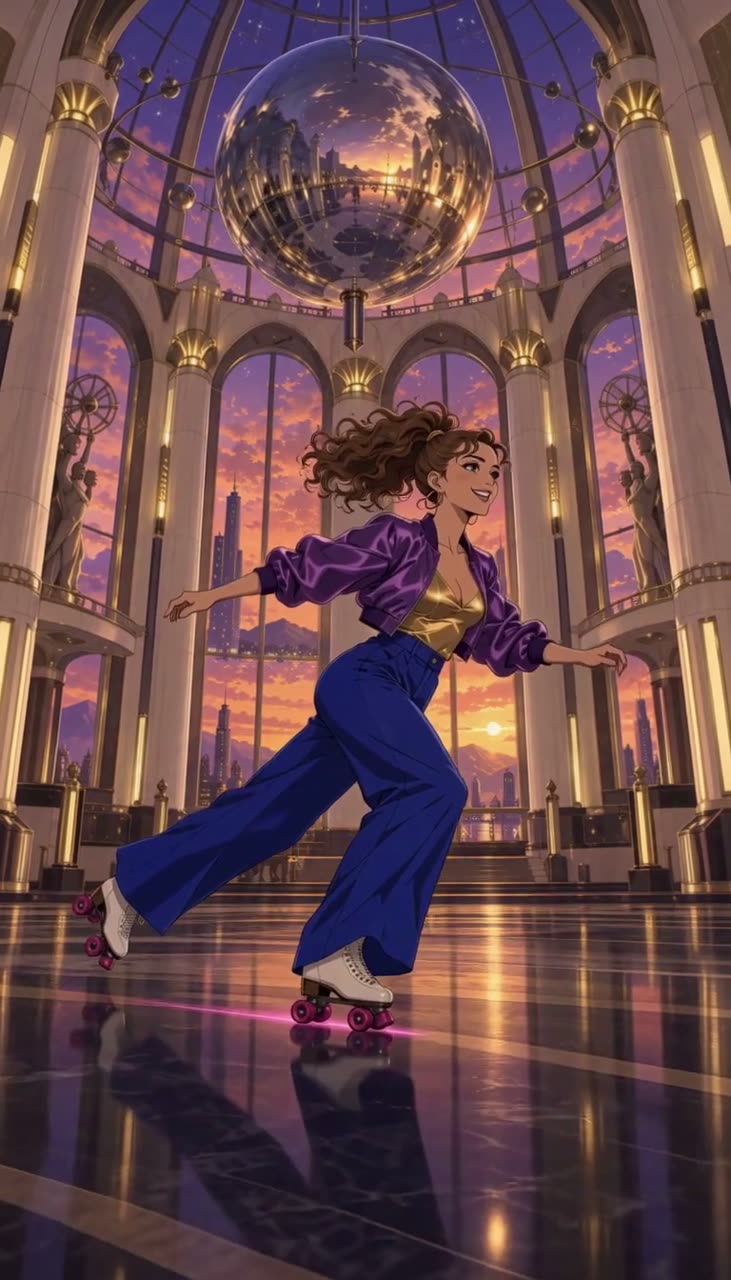
A dancer in cobalt-blue trousers spins across a luminous ballroom floor. Follow the turn at low camera height, then reveal the tall glass dome and warm lights.
Keep a character’s visual identity in the brief
For an illustrated or crafted character, describe its materials, recognizable silhouette and setting alongside the movement. A strong starting image gives the scene a concrete visual direction.
A little brass fox with exposed clockwork turns toward the warm light. Its folded paper tail opens like a fan. Preserve the handcrafted metal and paper textures.

Give every shot a clear direction
One readable event
Name the subject, its action and the moment the shot should end.
Describe the camera
Choose a framing and one purposeful camera move. Keep the action easy to follow.
Start with a clear image
Use a sharp, uncluttered image with room for the subject to move.
Set the delivery format
Pick the aspect ratio, duration and resolution for the channel you plan to publish on.
Three ways to shape a scene
Character moments
Give a character a readable action, reaction and setting.
Product motion
Keep a product recognizable while a detail comes to life.
Visual story beats
Create individual scenes and assemble the final story in your edit.
From an idea to a video
- 1
Describe or upload
Write your scene, or add a first frame and describe what happens next.
- 2
Choose and confirm
Set the format and available channel, then review the credit quote.
- 3
Review and download
Review the completed video in your creations and download it for your project.
Available on Jynno
- Input
- Text or images; a separate reference-video workflow is available.
- Output
- Standard: 4–15 seconds; 768P or 2K.
- Access
- Channel eligibility, exact settings and credits are checked before generation.
Questions before you create
What can I generate with MiniMax H3 here?
This page creates new videos from text or images. Start with a first frame, optionally add a last frame, or switch to a text prompt. Jynno also has a separate reference-to-video workflow for H3.
Which output settings are supported?
The standard channel offers 4–15-second videos at 768P or 2K, subject to the selected specification. Member channels have their own narrower settings. Confirm the available choices and quote in the form.
Does the reference workflow copy motion exactly?
References guide a new generation; they do not guarantee an exact performance or frame-by-frame match. Use the dedicated reference-to-video entry for its supported inputs and review the result carefully.
Can I edit an existing video on this page?
This form generates a new video. Video editing, restyling, clothing changes and extension are separate Jynno tools with their own models, specifications and quotes.
Is sound or uploaded audio included?
The selected channel determines the output’s audio behavior. This H3 form does not provide an uploaded-audio or voice-generation workflow, and it does not promise dialogue synchronization. Review the actual output before use.
How do credits and downloads work?
Review the current credit quote before submitting. Jynno checks your selected channel, eligibility and balance, then stores completed videos in your creations for review and download. Creations stay private unless you share them.