• Workspace
Creation
  • AI Video
  • AI Image
Features
  • AI Video Effects
  • Text to Video
  • Image to Video
  • Reference to Video
  • AI Video Editor
  • Mimic Motion
  • Video to Video AI
  • Video Upscaler
  • Face Swap Video
  • Video Background Remover
  • AI Video Extender
  • Text to Image
  • Image to Image
  • Image to Prompt
  • PNG Maker
  • Pricing
Jynno

Video Background Remover

Separate the moving subject from a video background for transparent video compositing.

Working…

Keep the subject. Open up the background.

Upload a clip with a clear foreground subject. Use the transparent result as an overlay in an editor that supports alpha video.

Choose a clearly visible subject

  • Clear subject separation helps with difficult edges.
  • Upload MP4, MOV or WebM, up to 60 seconds and 50 MB.
  • Check the result over both light and dark backgrounds.

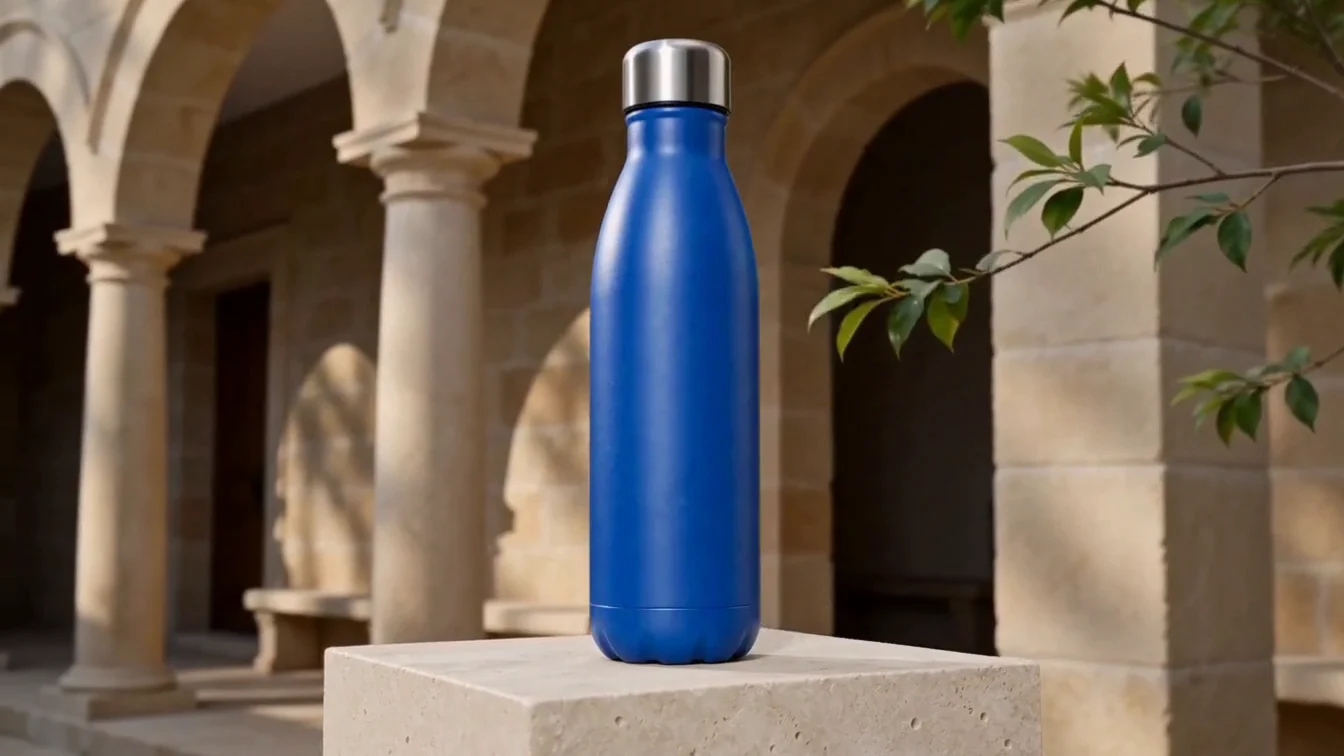
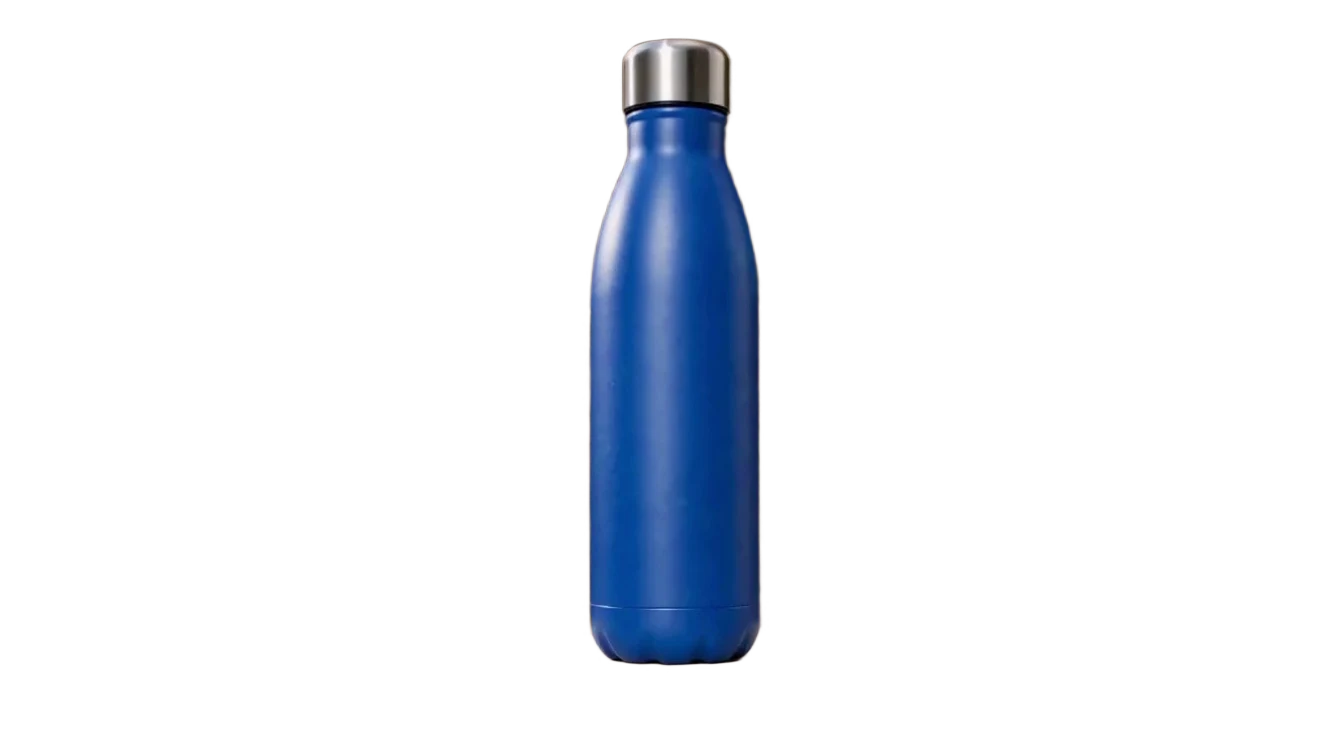
A moving product, with the background removed

The bottle remains in motion in the transparent WebM result. Compare its cap, body and edges with the original product clip.

Original video
Original video · 1344 × 756
Actual result
Actual result · 1344 × 756
Use this tool

Shape the result

01

Separate foreground and background

Create a cutout of the moving subject for a new composition.

02

Prepare an overlay

Transparent video is useful for presenters, products and motion graphics.

03

Review edges in motion

Check hair, thin details and quick movement against contrasting backgrounds.

How it works

  1. Choose your source

    Upload the source and the references this tool needs.

  2. Set the direction

    Choose the supported settings, then review the quoted credits.

  3. Confirm and review

    Confirm generation, then open and download the result from My Creations.

Where this video tool fits

Product compositions

Place a moving product into another layout.

Campaign layers

Build a composition around the isolated subject.

Background variations

Compare the subject over light, dark and colored surfaces.

Questions about this tool

This tool is for transparent output. Choose a new background when compositing the result in your editor.

No. Start with a clip where the foreground subject is visible and well separated from its surroundings.

Transparency requires an alpha-capable format. A normal H.264 MP4 is not a transparent video.

Composite the cutout over different backgrounds and inspect several moments during the movement.

Plans for your next creation

Use your plan credits for images and videos. Review the selected tool, settings and credit quote before each generation.

Starter

$9.99/ month

800 credits / month

Credits renew monthly and expire at the end of the billing period.

View plan

Creator

$24.99/ month

2,500 credits / month

Credits renew monthly and expire at the end of the billing period.

View plan

Pro

$59.99/ month

6,200 credits / month

Credits renew monthly and expire at the end of the billing period.

View plan
See all plans and credit packs

Guides for your next creation

Prepare an image and describe motion

↗

Plan a video from a product photo

↗

Write a clear image prompt

↗

Separate a moving subject from its background

Use the transparent result as a layer and inspect its edge on more than one background.

Open the tool

Explore other video tools

Face Swap VideoAI Video EditorVideo Upscaler

AI Image

  • AI Image Generator
  • Image to Image AI
  • AI Photo Editor
  • Watermark Remover
  • Magic Eraser
  • Image Upscaler
  • Background Remover
  • Face Swap Photo
  • Chat to Image

AI Video

  • AI Video
  • Text to Video
  • Image to Video
  • Reference to Video

AI Video Effects

  • AI Video Effects
  • AI Kiss Video Generator
  • AI Hug Video Generator
  • City flight
  • Everything blooms
  • Giant pet
  • Step out of the frame
  • Petal drift
  • Doodle to life
  • City folding
  • Vanish
  • Street Colossus
  • High Flip
  • Thunder Strike
  • Portal Reveal
  • Energy Wings
  • AI Twerk Video Generator
  • Bigfoot Video Generator

Product

  • Jynno
  • All AI Tools
  • Agent
  • Pricing

Resources

  • Creative guides
  • Privacy Policy
  • Terms of Service
© 2026 Jynno. All rights reserved.