• Workspace
Creation
  • AI Video
  • AI Image
Features
  • AI Video Effects
  • Text to Video
  • Image to Video
  • Reference to Video
  • AI Video Editor
  • Mimic Motion
  • Video to Video AI
  • Video Upscaler
  • Face Swap Video
  • Video Background Remover
  • AI Video Extender
  • Text to Image
  • Image to Image
  • Image to Prompt
  • PNG Maker
  • Pricing
Jynno

AI Photo Editor

Describe a precise change to your photo. Keep the details that already work.

Jynno Image Edit

No model is currently available for this feature.

Create an image
Example comparison
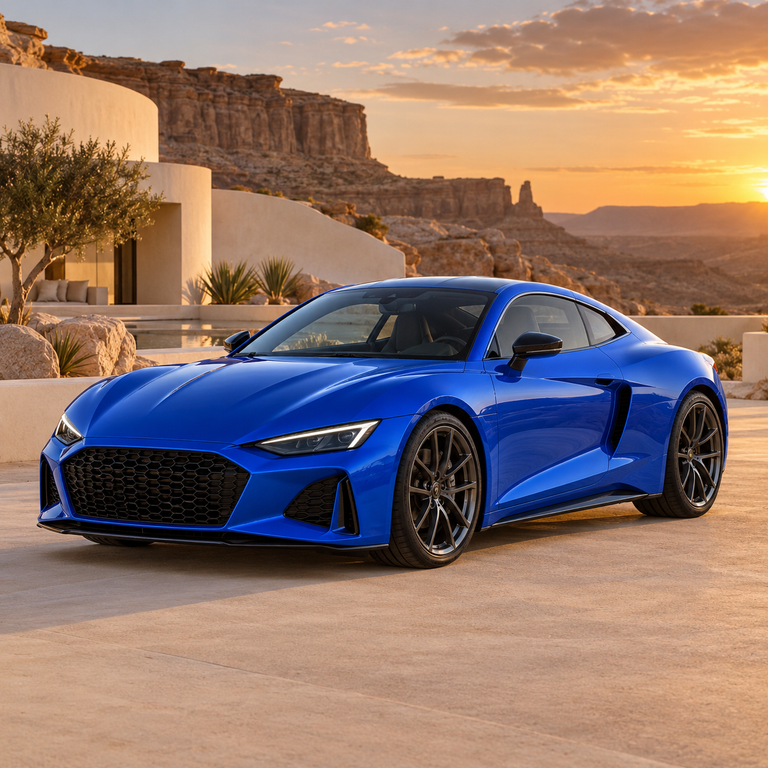
Original: Cobalt-blue sports coupe changed to vermilion red in the same sunset resort
Original
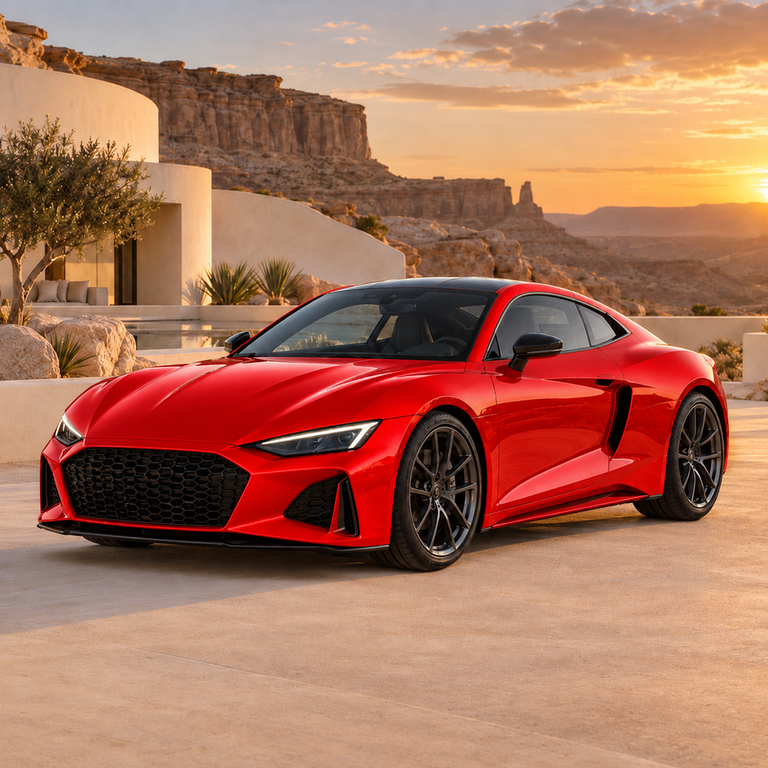
Vermilion red: Cobalt-blue sports coupe changed to vermilion red in the same sunset resort
Vermilion red

A focused workflow for your original image

01

Adjust one detail at a time

Name a color, material or light change and keep the rest of the photograph as your reference.

02

Define the input and the goal

Write a specific change; select an area if needed.

03

Compare the actual result

Inspect edges and nearby objects before downloading.

Change the color. Keep the design.

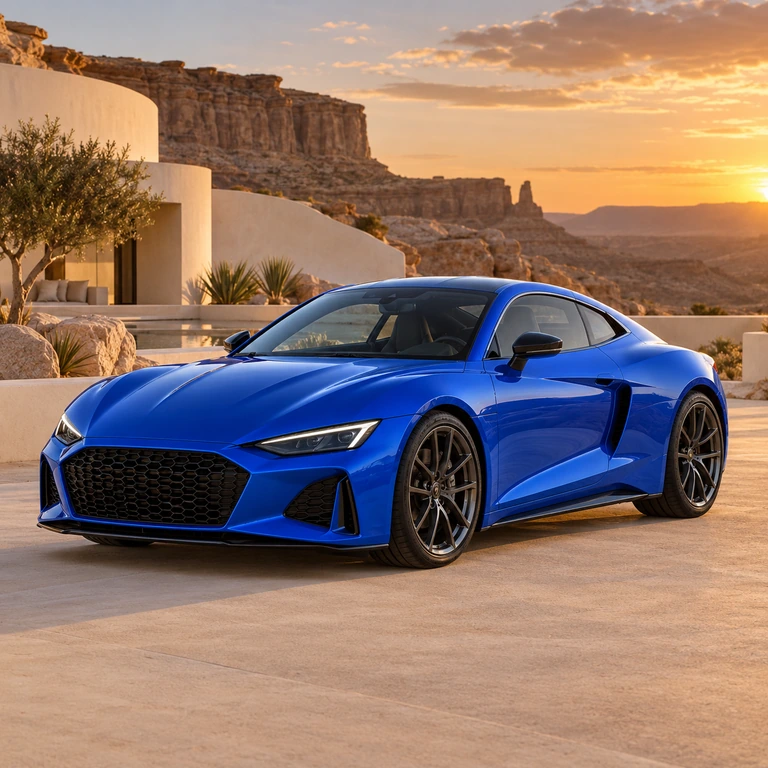
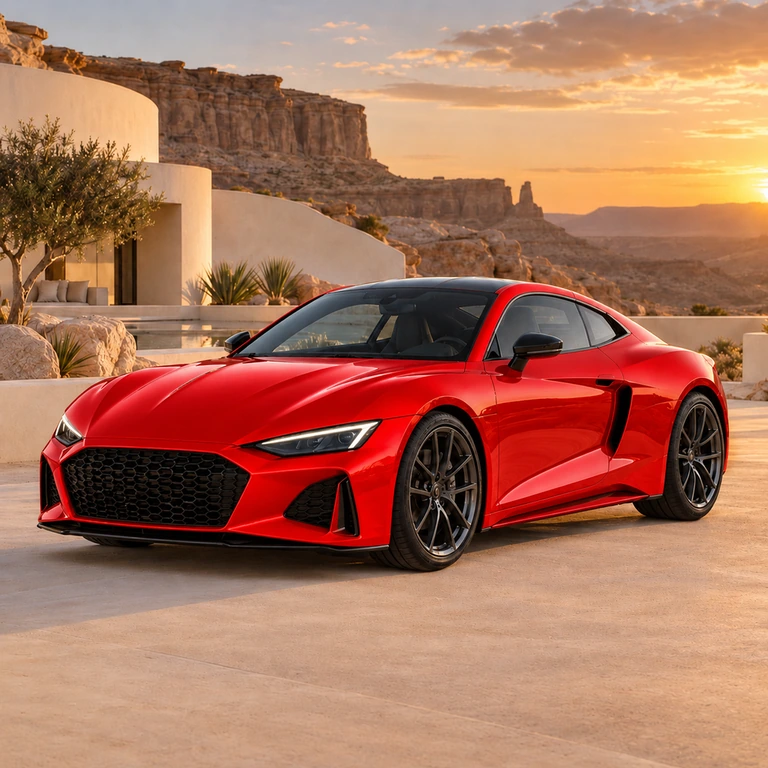
Turn a cobalt-blue sports car vermilion red while retaining its silhouette, wheels and sunset resort setting.

Use this tool
Original: Cobalt-blue sports coupe changed to vermilion red in the same sunset resort
Original
Vermilion red: Cobalt-blue sports coupe changed to vermilion red in the same sunset resort
Vermilion red

See the change from source to result

Name a color, material or light change and keep the rest of the photograph as your reference.

Start creating
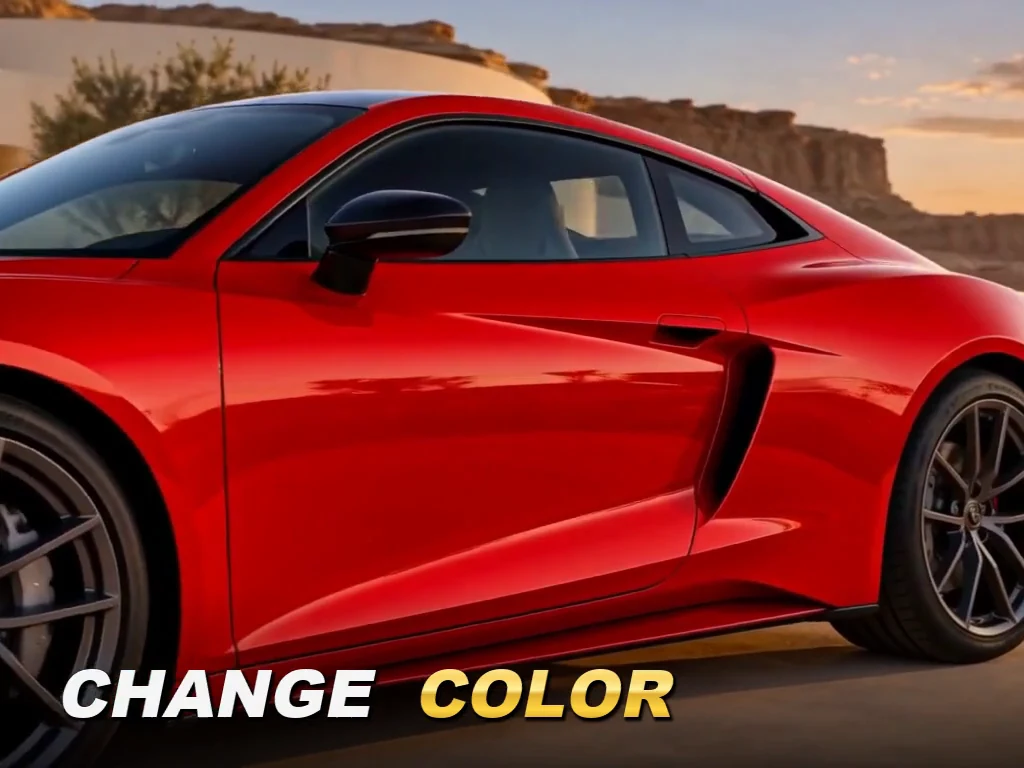
Cobalt-blue sports coupe changed to vermilion red in the same sunset resort

Where this tool fits your work

Product variations

Explore a different finish without rebuilding your product composition.

Campaign photography

Adapt color and lighting to the direction of a campaign.

Personal photos

Make a focused scene edit while keeping your original file.

Three details to check

  1. 01

    Name the material or color to change.

  2. 02

    Keep the camera, crop and lighting explicit.

  3. 03

    Inspect edges and nearby objects before downloading.

From your source to a result

  1. 01

    Upload the photograph you want to edit.

  2. 02

    Write a specific change; select an area if needed.

  3. 03

    Generate, compare the details and download your result.

Download the sample source ↓

Questions before you edit

Name the object and the new color, then ask to preserve its outline, material texture, reflections and background. Select its area when you need a local edit.

Yes. Select an area in the source preview and describe the change. Check the boundary after generation because an AI edit may still change nearby details.

This editor focuses on a targeted change to one source photograph. Image to image is a better starting point for a wider style or scene variation.

There is no one-click undo for a generated edit. Keep your source file and create a new variation from it rather than repeatedly editing an unwanted result.

Plans for your next creation

Use your plan credits for images and videos. Review the selected tool, settings and credit quote before each generation.

Starter

$9.99/ month

800 credits / month

Credits renew monthly and expire at the end of the billing period.

View plan

Creator

$24.99/ month

2,500 credits / month

Credits renew monthly and expire at the end of the billing period.

View plan

Pro

$59.99/ month

6,200 credits / month

Credits renew monthly and expire at the end of the billing period.

View plan
See all plans and credit packs

Guides for your next creation

Write a clear image prompt

↗

Turn a photo into a useful prompt

↗

Make a PNG and check its edges

↗

Remove a distraction next.

Want to remove a distracting object? Select it with Magic Eraser.

Magic Eraser ↗

More image tools

AI Image GeneratorImage to Image AIWatermark RemoverMagic EraserImage UpscalerBackground RemoverFace Swap PhotoChat to Image

AI Image

  • AI Image Generator
  • Image to Image AI
  • AI Photo Editor
  • Watermark Remover
  • Magic Eraser
  • Image Upscaler
  • Background Remover
  • Face Swap Photo
  • Chat to Image

AI Video

  • AI Video
  • Text to Video
  • Image to Video
  • Reference to Video

AI Video Effects

  • AI Video Effects
  • AI Kiss Video Generator
  • AI Hug Video Generator
  • City flight
  • Everything blooms
  • Giant pet
  • Step out of the frame
  • Petal drift
  • Doodle to life
  • City folding
  • Vanish
  • Street Colossus
  • High Flip
  • Thunder Strike
  • Portal Reveal
  • Energy Wings
  • AI Twerk Video Generator
  • Bigfoot Video Generator

Product

  • Jynno
  • All AI Tools
  • Agent
  • Pricing

Resources

  • Creative guides
  • Privacy Policy
  • Terms of Service
© 2026 Jynno. All rights reserved.