
Use my reference ad as structural guidance, not as the identity or product reference. First map the actual timestamped samples to visible actions; mark unseen intervals unknown. Keep the tense mission, obstacle and unexpected product reveal, then adapt those beats to my teal hooded jacket. Lock the approved person’s face and short wavy brown hair, and the jacket’s colour, hood, zip and chest badge. Plan a 16-second film with shot lengths suited to the tension and reveal. Present the source-to-new-scene mapping before generating. Do not copy the original actor, brand, music or text.
Clone Video Ad
Adapt a reference video ad to your product. Review sampled frames, choose the story beats to keep and generate new product-led scenes.
Products in motion
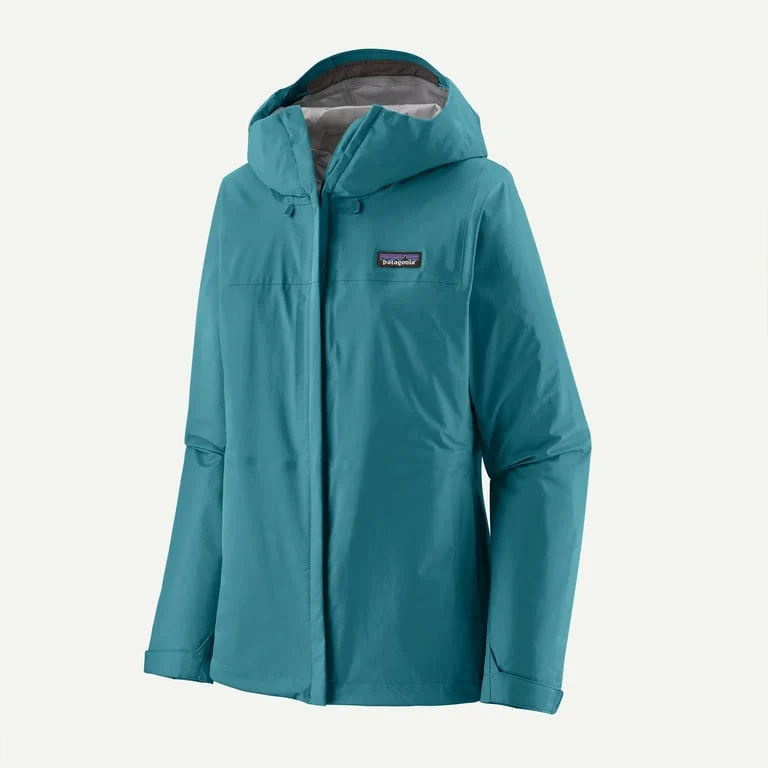
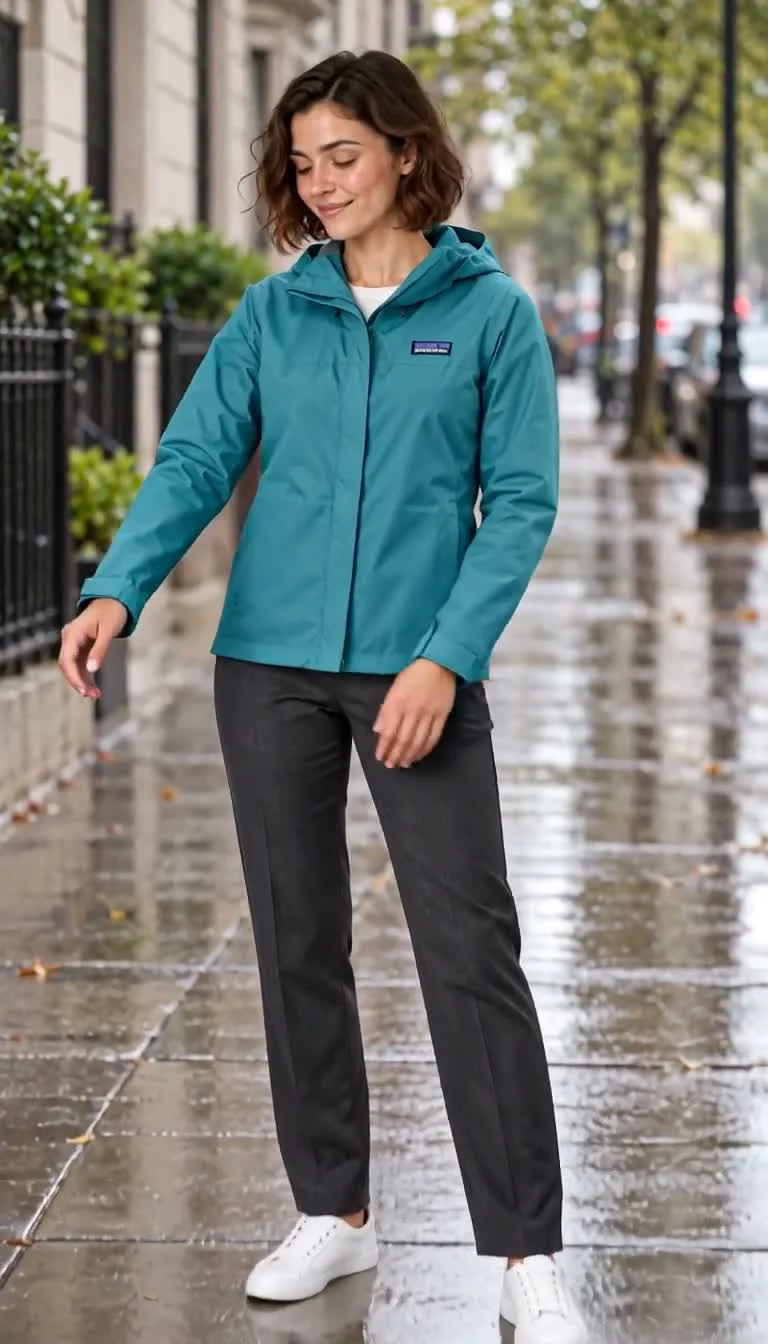
Keep the idea that works. Give it your product’s payoff.
A high-stakes mission, reimagined around a rain jacket
A good adaptation preserves a useful hook and reveal, while changing why the product matters. This example takes the tension of a guarded treasure mission and gives it a new wardrobe and closing reveal. Supply your reference ad, your product and the benefit to communicate; review the observed frames separately from the proposed new scenes.
Make your visual idea specific
Choose what to keep
A hook, contrast or product reveal can guide a new ad. Decide which beats matter rather than trying to reproduce every frame.
Keep evidence separate from the new idea
Timestamped samples show parts of the reference. Review what is visible and what remains unknown before approving the adapted shot plan.
Make your product the reason for the reveal
Replace the product’s role in the story as well as its appearance. Reuse approved product and person references for the new scenes.
From a brief to assets for your edit
Upload the reference and product
Provide a reference video you can use, a clear product image and the selling point. Add a person reference when a recurring performer is needed.
Review the adaptation
Compare the sampled reference actions with the proposed new scenes. Confirm the retained beats, performer, wardrobe and total duration.
Create the replacement scenes
Approve reference compositions, then generate the individual clips you need. Review continuity and finish the edit yourself.
Frequently asked questions
This workflow plans an adaptation and generates new material. It is not a frame-by-frame replacement tool. The new scenes use your product and approved references while retaining the story beats you select.
Choose your next creative direction
Put your idea to work
Hook adaptations
Keep a useful opening idea while replacing the product and scene.
Story variations
Retain selected cause-and-effect beats in a new ad.
Campaign pitches
Review the source-to-new-scene mapping before creating assets.
Plans for your next creation
Use your plan credits for images and videos. Review the selected tool, settings and credit quote before each generation.
Starter
$9.99/ month
800 credits / month
Credits renew monthly and expire at the end of the billing period.
View planCreator
$24.99/ month
2,500 credits / month
Credits renew monthly and expire at the end of the billing period.
View planPro
$59.99/ month
6,200 credits / month
Credits renew monthly and expire at the end of the billing period.
View planStart your clone video ad
A good adaptation preserves a useful hook and reveal, while changing why the product matters. This example takes the tension of a guarded treasure mission and gives it a new wardrobe and closing reveal. Supply your reference ad, your product and the benefit to communicate; review the observed frames separately from the proposed new scenes.
Start creatingExplore more with Jynno
From photo edits to video effects. Find your next creative move.
Photo editing
Jynno Image Edit
Video restyling
Jynno Restyle
Watermark removal
Jynno Erase
Video clothing & color editing
Jynno Video Edit

Magic Eraser
Jynno Erase
Image background removal
Jynno Cutout

Transparent PNG
Jynno Cutout

Image Upscaler
Jynno Upscale

Video Effects
Jynno Effects
Image to Prompt
Jynno Vision
Video Upscaler
Jynno Upscale
Video background removal
Jynno Cutout