
AI Video Editing vs. Manual Editors & Monthly Suites: How to Choose for Short Clips
Compare Jynno’s pay-as-you-go AI video editing tools against manual timeline masking and monthly subscription platforms for outfit swaps, recoloring, cutouts, and upscaling.

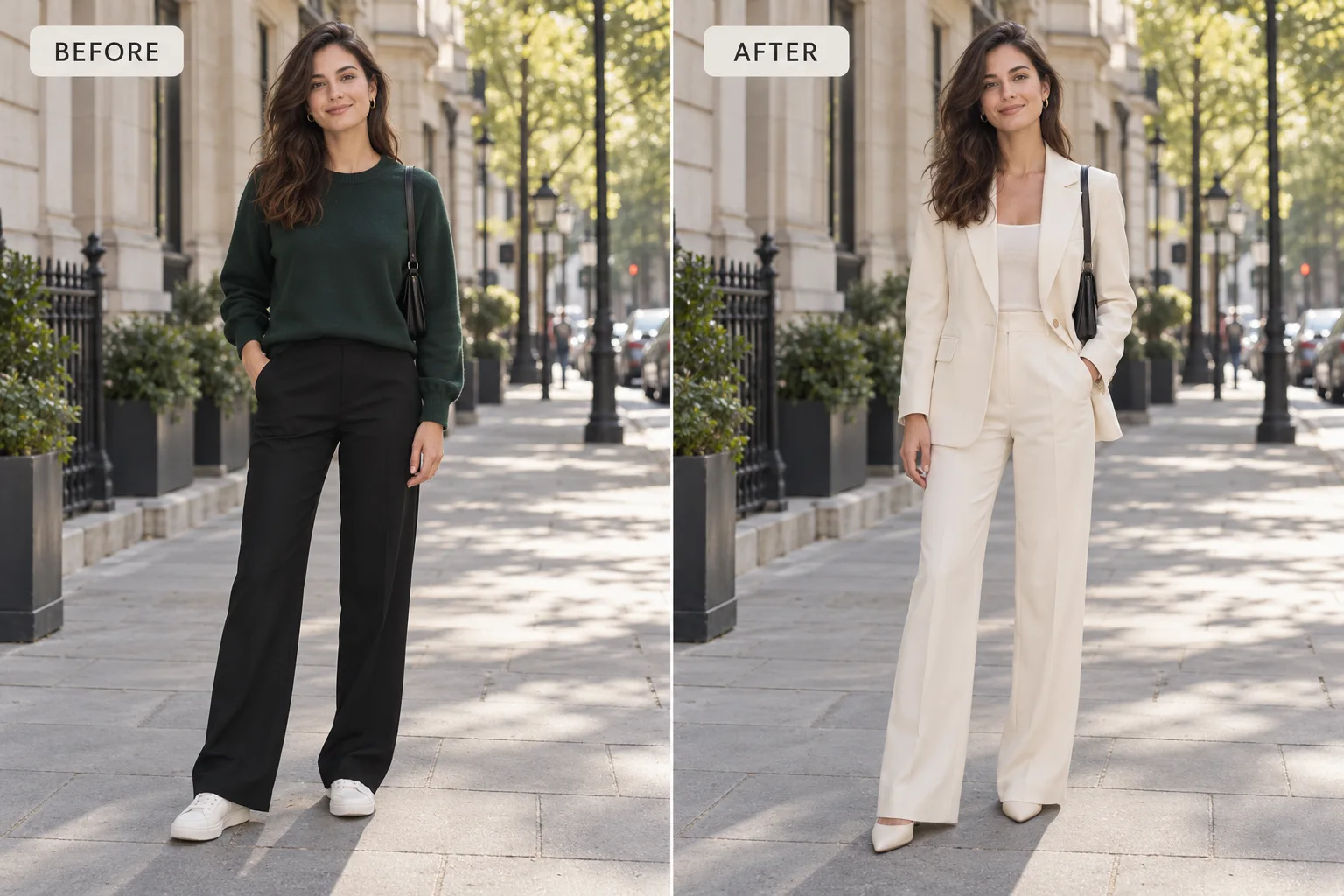
When you need to change a shirt color, swap an outfit, remove a messy background, or sharpen a soft clip, the main bottleneck is rarely creativity—it is choosing between hours of manual keyframe masking, locked monthly AI subscriptions, or targeted pay-per-clip tools. Here is an honest look at how the three approaches compare and where each one makes sense.
Workflow comparison at a glance
| Criterion | Manual Timeline Editors | Subscription-Only AI Suites | Jynno Fixed Video Editing Suite |
|---|---|---|---|
| Changing an outfit or product color in an existing clip | Frame-by-frame masks, tracking, and color grading | Often bundled inside a recurring monthly seat | Upload 3–10s MP4/MOV, describe or attach photo, see exact quote first |
| Pricing structure | Software license + editing hours | Monthly or annual commitment; unused credits expire on cycle | Pay-As-You-Go packs ($3.99–$99.99, 365-day validity) or optional memberships |
| Cost visibility before rendering | Time-based | Varies by plan and tool tier | Upfront per-second credit quote shown before you submit |
| Pixel-exact logo & brand color lock | Highest manual control | Generative approximations vary | Generative approximations vary—inspect turns, logos, and timing |
| Dedicated finishing tools | Built-in effects & plugins | Varies by suite | Separate pages for cutout, 768P extend (3–15s), and 720P–4K upscale |
Which Jynno video editing page fits your task?
Instead of forcing every edit into one generic prompt box, Jynno separates specific intents so you can pick the right workflow faster:
- AI Video Editor: General edits on
3–10 second(MP4/MOV, up to50 MB) clips at480Por720Pusing text instructions and an optional reference image. - AI Video Clothes Changer: Focused on swapping outfits with text prompts—no garment photo needed.
- Change Clothes in Video with a Photo: Upload one
PNG,JPG, orWebPgarment image (up to5 MB) to guide a specific dress, jacket, or top. - AI Video Color Changer: Recolor an object, product shell, or clothing item while keeping the scene recognizable.
- Video Background Remover: Isolate a moving foreground subject from its backdrop.
- AI Video Extender: Continue an existing clip by
3–15 secondsat768Pwith a continuation prompt. - Video Upscaler: Finish final keepers in
720P,1080P,2K, or4K.
When manual editing still wins—and when Jynno saves hours
Use a traditional desktop editor when you need frame-accurate brand typography, exact Pantone matching, audio mixing, or final multi-clip assembly. Use Jynno when you want to generate visual variations on footage you already shot—for example, turning one hoodie video into a red dress clip, testing a dark-green speaker colorway, or extending a clip by a few seconds without going back to set.
Testing prompts in 480P first helps you verify motion and wardrobe direction with fewer credits before running a 720P or Video Upscaler pass.
Transparent credit packs without forced subscriptions
Every fixed video editing tool works with Pay-As-You-Go credit packs (starting from 200 credits for $3.99, valid for 365 days, no subscription required) as well as monthly or annual memberships. Because exact per-second credits are calculated and shown after you upload your clip, you know the cost before clicking generate. Check current options on Pricing.
Comparison FAQ
Do I need a monthly subscription just to edit a few videos?
No. All fixed video editing, background removal, upscaling, and clip extension tools accept one-time credit packs valid for 365 days. Memberships are optional and mainly unlock Jynno Creative Agent and lower per-credit rates for regular volume.
Should I edit clothes first or upscale first?
Edit clothes, colors, or backgrounds first, then run Video Upscaler last so you only pay to upscale the final approved take.
Can generative video editing guarantee zero changes to small logos?
No. Generative frame synthesis can subtly shift fine text, small brand logos, or timing. Always review the opening, middle, and turning frames before publishing, and layer crisp brand graphics in your final cut if pixel-exact logos are required.
Open AI Video Editor · Video Clothes Changer · Video Color Changer · Pricing